
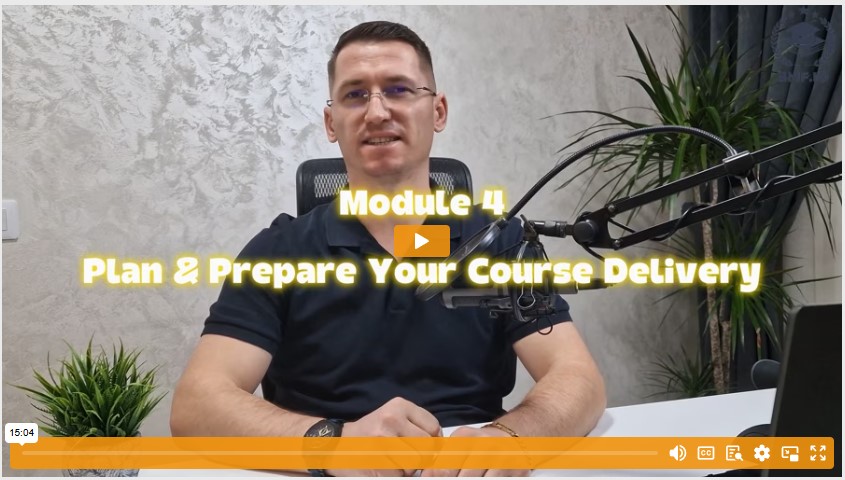
Module 4 – Plan and Prepare Your Course Delivery
Introduction
Welcome to Module 4 of our Create an Online Course A–Z Masterclass! Now that you've developed your course content, chosen the best media formats, and organized an engaging learning experience, it's time to handle the practical side of course delivery.
In this module, we'll explore:
- Pricing Strategies: How to position your course for profitability and perceived value
- Platform Selection: Which hosting and membership solutions align best with your tech skills, budget, and learner preferences
- Payment Processing: Setting up secure, user-friendly payment options
- Course Scheduling: When to open enrollment, how to handle live sessions, and how to keep learners engaged
By the end of this module, you'll have a clear plan to launch your course smoothly, ensuring you and your students have a stress-free, rewarding experience.
Section 1: Set Your Course Price
1.1 The Role of Pricing in Value Perception
Pricing can be intimidating. However, remember that the amount you charge directly influences how your target audience perceives your course. A higher price can signal premium quality and expertise, while a lower price may attract learners looking for a bargain but could also imply less value.
Key Insight:
Students who invest more typically engage more—increasing both completion rates and satisfaction.
1.2 Factors to Consider
- Value & Relevance
- Are you addressing a profitable or in-demand topic?
- Does your course solve a genuine problem or help learners achieve a specific goal?
- Your Reputation & Authority
- If you have credentials, a strong personal brand, or a track record of success, you can confidently set a premium price.
- Use testimonials, case studies, or endorsements to showcase why your expertise is worth it.
- Competitor Benchmarking
- Research courses in your niche. Notice the pricing range and unique selling points they offer.
- Decide whether you'll go for a competitive edge by offering a similar price with extra value, or whether you'll stand out at a premium level with advanced features or personalized support.
- Pricing Models
- One-Time Payment: A single fee for lifetime access (best for evergreen courses or self-paced models).
- Tiered Pricing: Offer basic, standard, and premium tiers with increasing levels of content, coaching, or bonuses.
- Subscription or Membership: Ideal if you plan ongoing updates, community access, or monthly live sessions.
Narrator Tip (on-camera):
Don't be afraid to experiment. Some creators offer an "early bird" discount for the first launch or use a limited-time promotion. Adjust based on student feedback, enrollment numbers, and your own comfort level.
Section 2: Choose a Delivery Platform
2.1 Platform Basics
Your delivery platform is where your students will log in, watch videos, download materials, and track progress. The platform you choose can make or break the learner experience.
2.2 Self-Hosted WordPress Membership or LMS
Examples:
- MemberPress, Paid Memberships Pro, Restrict Content Pro, LearnDash
Advantages:
- You own your platform and have greater control over branding, data, and customization.
- Flexible integrations (e.g., PayPal, Stripe, email marketing services).
Considerations:
- There's a learning curve for setup. You may need technical skills or a developer's help.
- You'll be responsible for updates, security, and troubleshooting.
2.3 Course Delivery Platforms
Examples:
- Teachable, Thinkific, WizIQ, Kajabi, Podia, Zippy Courses
Advantages:
- User-friendly, with minimal tech know-how required.
- Built-in features like payment processing, enrollment management, quizzes, and more.
- Often include community features, like student discussion boards.
Considerations:
- Monthly fees or revenue-sharing models can affect your profit margins.
- Limited customization compared to self-hosted options. You're locked into the platform's design and feature set.
Best Practice Example:
If your course has interactive quizzes, drip content, or you need robust analytics, confirm these features are built-in. A platform like Thinkific or Kajabi might be perfect, while a simpler membership plugin on WordPress might suffice for smaller, less complex courses.
Section 3: Decide How to Collect Payments
3.1 Built-In vs. External Payment Processing
Many hosted platforms (Teachable, Thinkific, etc.) have built-in payment gateways like PayPal or Stripe, making setup straightforward. If you're self-hosting, you'll need to integrate external services or plugins such as:
- Infusionsoft
- GoEmerchant
- CyberSource
- MerchantPlus
- Authorize.Net
- JVZoo
- ClickBank
3.2 Factors to Evaluate
- User Experience (UX):
- Make it easy for students to enter payment details and confirm their purchase. Fewer clicks and clear instructions mean higher conversion rates.
- Transaction Fees & Processing Times:
- Compare fees across different platforms and gateways. High fees can cut into your profits, especially if you're running promotions or discounts.
- Security & Trust:
- Ensure your payment process is PCI-compliant and uses SSL encryption.
- Clearly communicate the steps you've taken to protect buyers' information.
- Global Accessibility:
- If you have an international audience, confirm that your payment gateway supports multiple currencies and countries.
On-Screen Tip:
Display payment method logos (e.g., PayPal, Visa, Mastercard) prominently on your checkout page. It builds confidence and signals professionalism.
Section 4: Schedule and Set Up Your Course for Delivery
With pricing and platform decisions made, it's time to plan when and how your course will go live.
4.1 Choose Launch Dates
- Cohort-Based: Everyone starts on a specific date. Great for building community energy, but you'll need to handle group pacing, live sessions, and consistent deadlines.
- Evergreen: Students can enroll at any time, moving through the content at their own pace. Requires robust automation—think email drip sequences and self-guided modules.
4.2 Plan Live Elements
- Webinars or Live Q&A: Pick a user-friendly tool (Zoom, Crowdcast, GoToWebinar) and schedule sessions well in advance.
- Workshops or Coaching Calls: If your course offers interactive or personalized coaching, ensure you have a calendar system (like Calendly or Acuity Scheduling) for seamless booking.
4.3 Upload and Organize Your Content
- Follow Your Outline: Keep modules and lessons in the same order you planned in Module 2 and 3.
- Check File Formats & Compatibility: Ensure your videos, PDFs, or quizzes display correctly across devices (desktop, tablet, mobile).
- Test Student Experience: Try enrolling as a student and walking through each step to catch any technical hiccups.
4.4 Set Up 1-on-1 Elements (If Applicable)
If your course includes individual coaching or consultations, create a clear system for scheduling:
- Automated Booking: Tools like Calendly or Acuity send reminders to both you and the student, reducing no-shows.
- Time Zone Clarity: Provide a built-in time zone converter or clarify which time zone you operate in.
4.5 Test Everything
- Payment Gateways: Make a small test transaction. Confirm you can handle refunds if necessary.
- Content Delivery: Check that lessons are accessible immediately (or on the correct drip schedule).
- Engagement Tools: Ensure quizzes submit correctly, discussion boards post properly, and automated emails send on time.
Actionable Advice:
Consider a "soft launch" (e.g., only for your email subscribers or a small beta group) to gather feedback and fix issues before a larger public launch.
Action Steps (Call-to-Action)
- Set Your Course Price
- Reflect on the course's value, your authority, and competitor benchmarks.
- Pick a pricing model (one-time, subscription, tiered) and be ready to adjust if the market feedback suggests otherwise.
- Research & Select Your Delivery Platform
- Compare WordPress membership solutions vs. standalone course platforms (Teachable, Thinkific, Kajabi, etc.).
- Ensure it supports the media formats, engagement features, and payment gateways you need.
- Finalize Your Payment Process
- Decide between built-in or external payment gateways.
- Verify the user-friendliness, security, and global reach of your chosen method.
- Schedule & Plan Your Course Launch
- Decide on a cohort-based or evergreen model.
- Schedule any live events (webinars, Q&As) and plan out your drip sequence, if applicable.
- Upload and Test Your Entire Course
- Make sure modules, lessons, videos, and worksheets are in the right order.
- Double-check everything from a student's perspective—especially payments and content access.
- Complete Your Pre-Launch Checklist
- Create a master list (videos, PDFs, sign-up forms, webinar links, etc.).
- Verify each element is live and functional.
Conclusion
Fantastic work! You've now laid the groundwork to price, host, and deliver your course in a way that's convenient and confidence-inspiring for both you and your students. By taking the time to plan carefully and test every element, you'll set the stage for a successful, transformative learning experience from the moment students enroll.
With your launch plan in place, you're just steps away from sharing your knowledge—and your passion—with the world. In our next module, we'll focus on running your course, engaging students, and measuring results. We'll also dive into gathering feedback for continuous improvement, ensuring your course remains relevant, up-to-date, and highly impactful.
Until then, finalize your platform, lock in your price, and get your course ready for its big debut! I'll see you in Module 5.


